2 Port KVM Switch Kit HDMI 4K60Hz with USB 3.0 Docking Station, 2 PCs 1 Monitor
TESmart With You. Evolving For You!
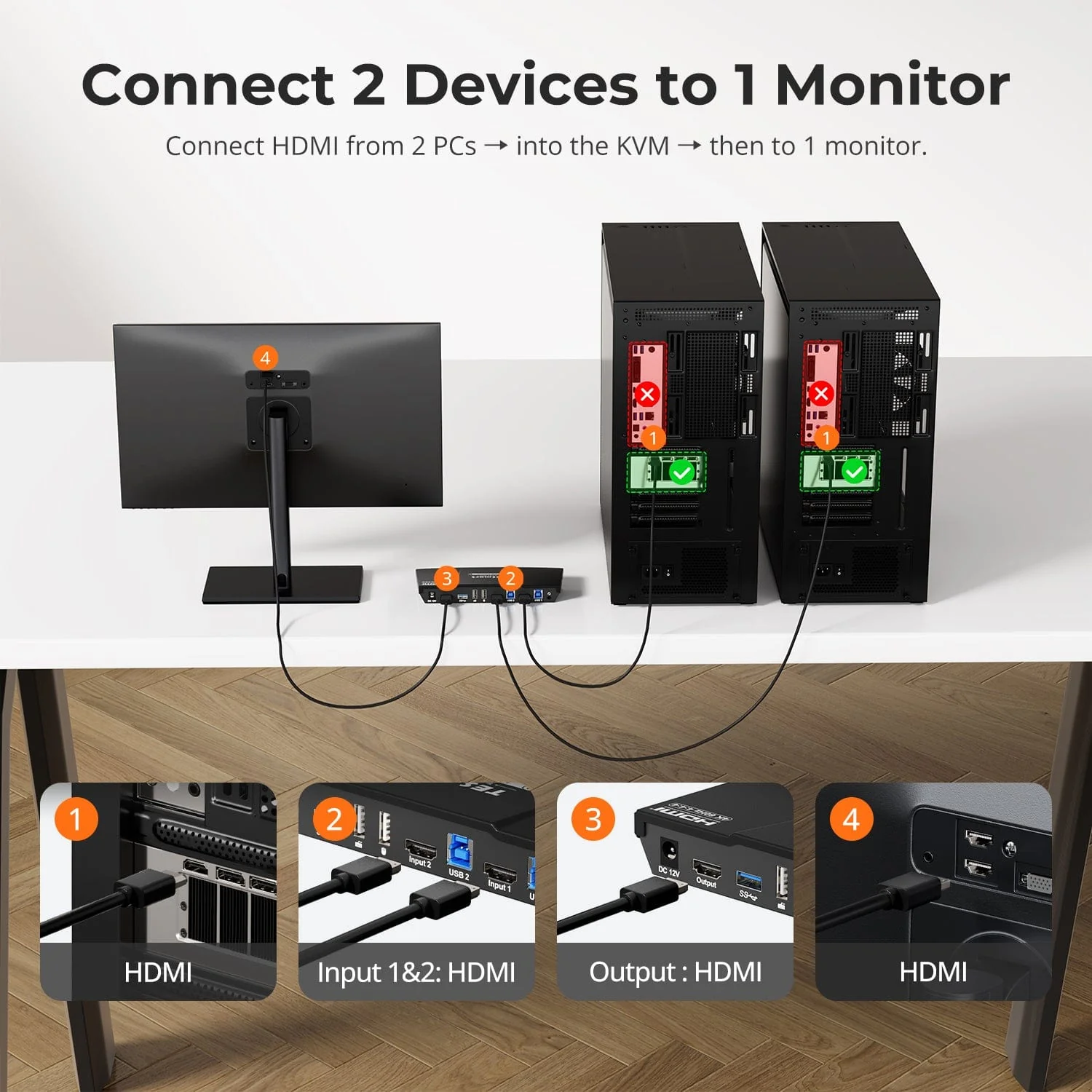
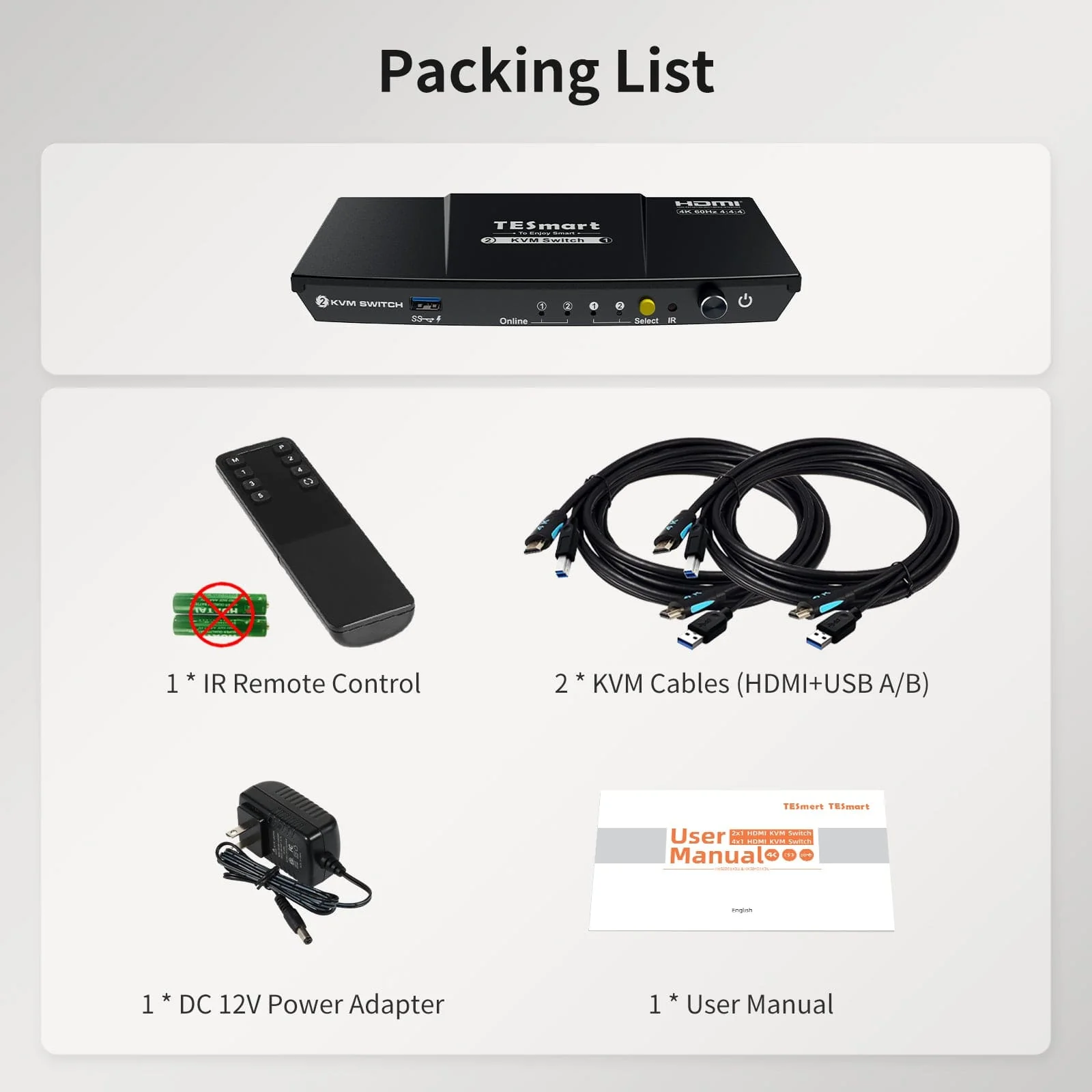
The HKS201-P23 supports controlling 2 computers and 1 monitor with a single keyboard and mouse. It supports HDMI 2.0 4K@60Hz, USB 3.0, and features industry-leading EDID emulation technology and automatic scanning. It's ideal for professionals seeking stability and lightweight high-definition visuals.
Why You’ll Love It:
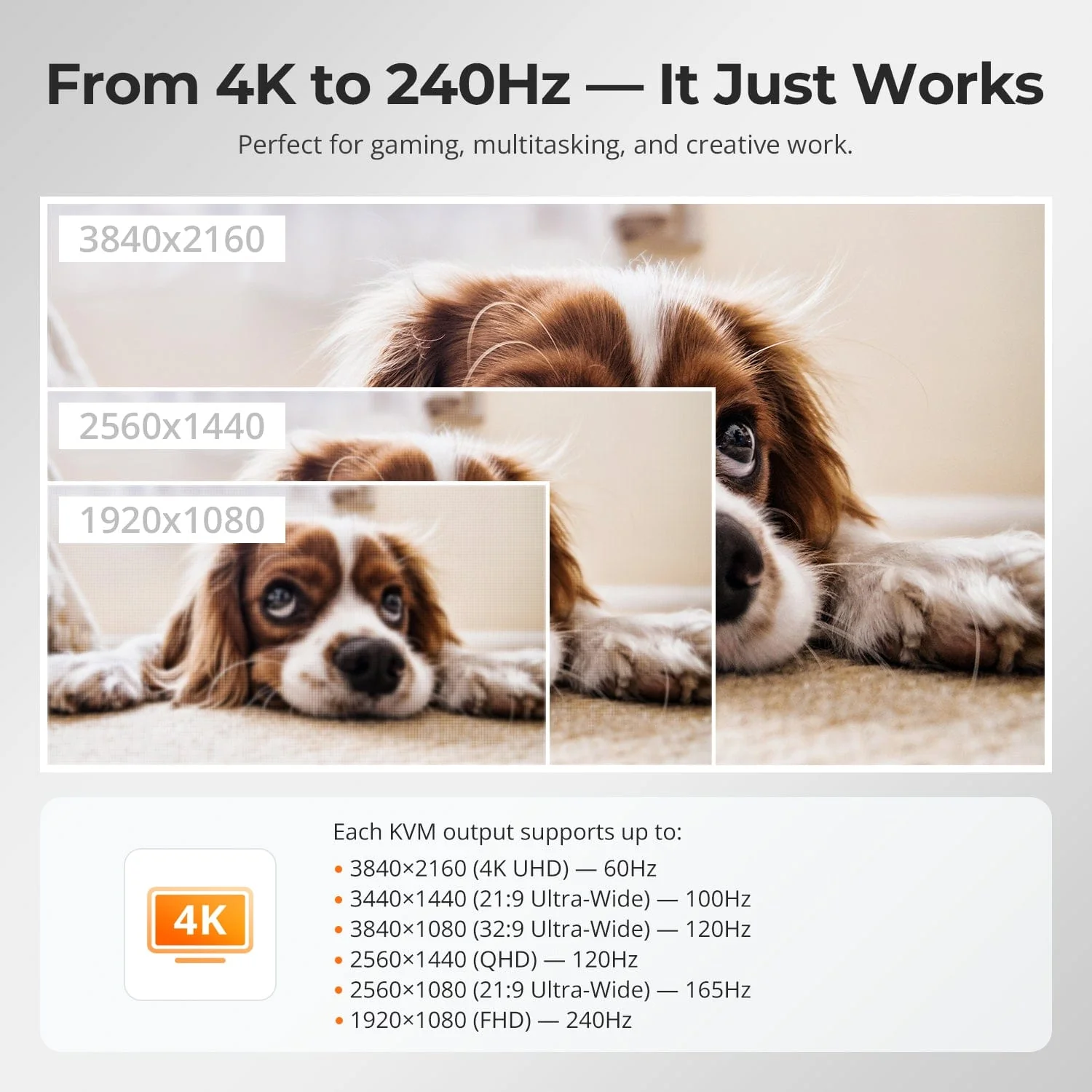
•Supports up to 3840×2160@60Hz, compatible with 3440×1440@100Hz, 2560×1440@120Hz, 1920×1080@240Hz.
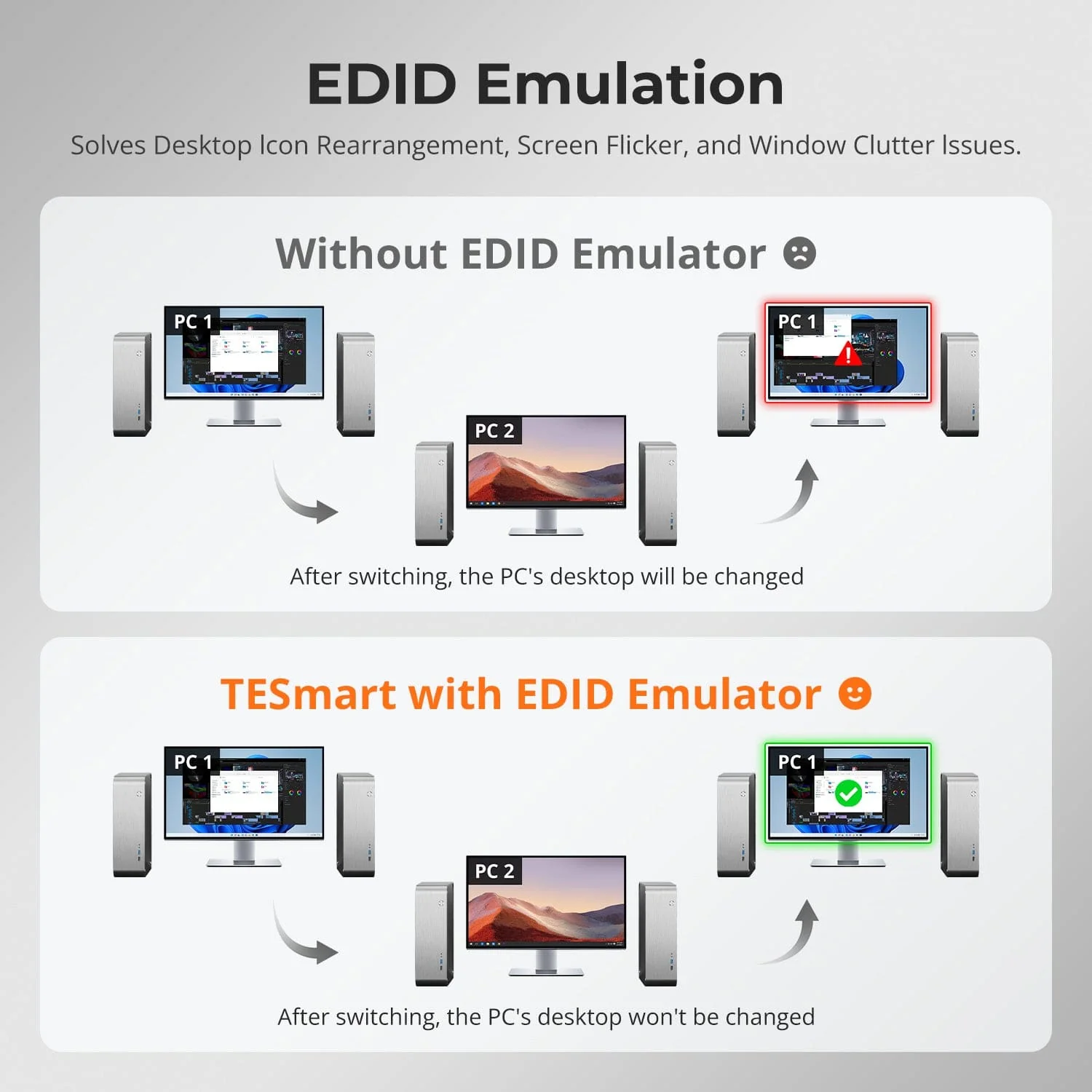
•EDID Emulation: Prevents window changes during switching.
•USB 3.0 and audio integration: High-speed data transfer to connect peripherals, headphones, and storage devices.
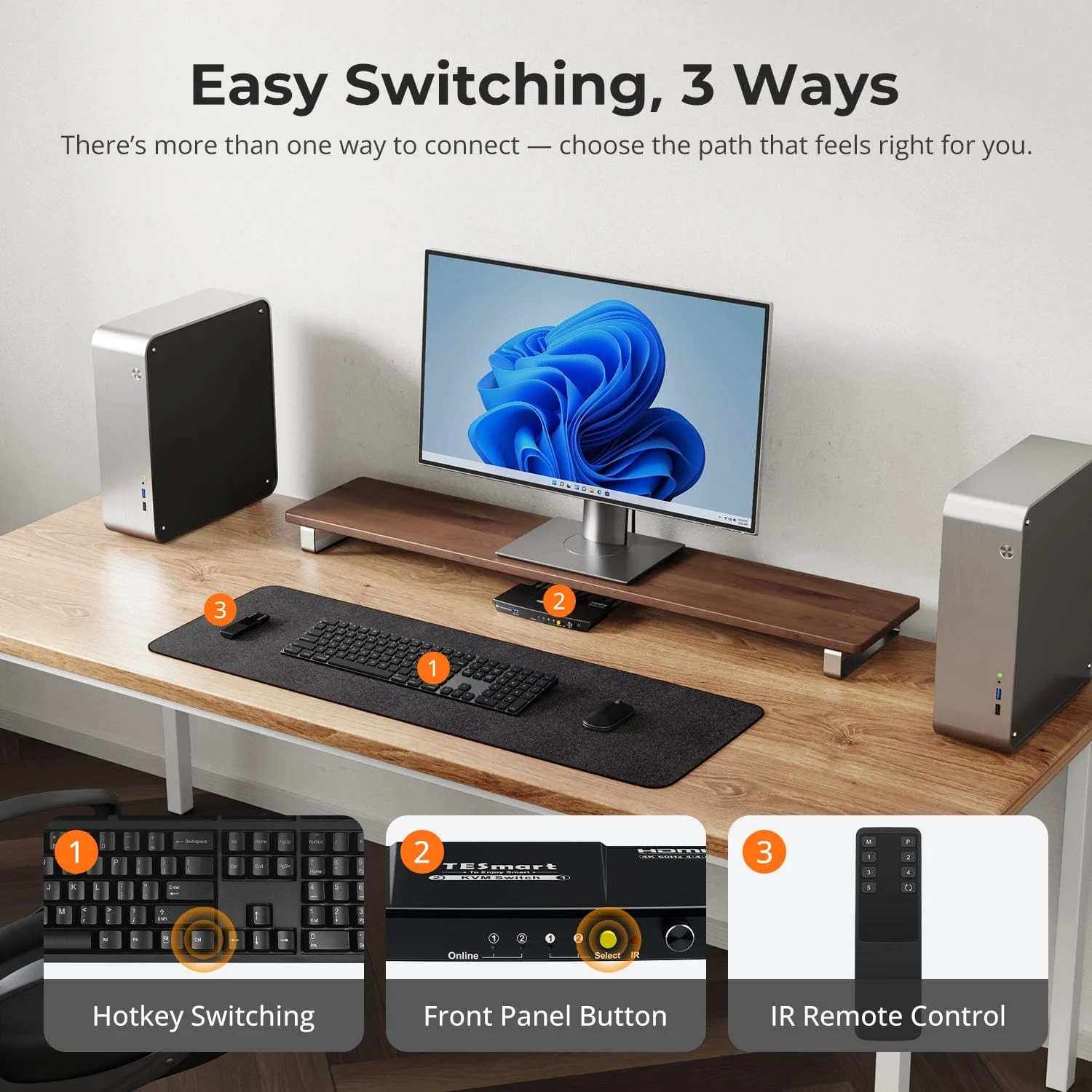
•Four input switching methods: Keyboard hotkeys, mouse wheel, front panel buttons, or infrared signal.
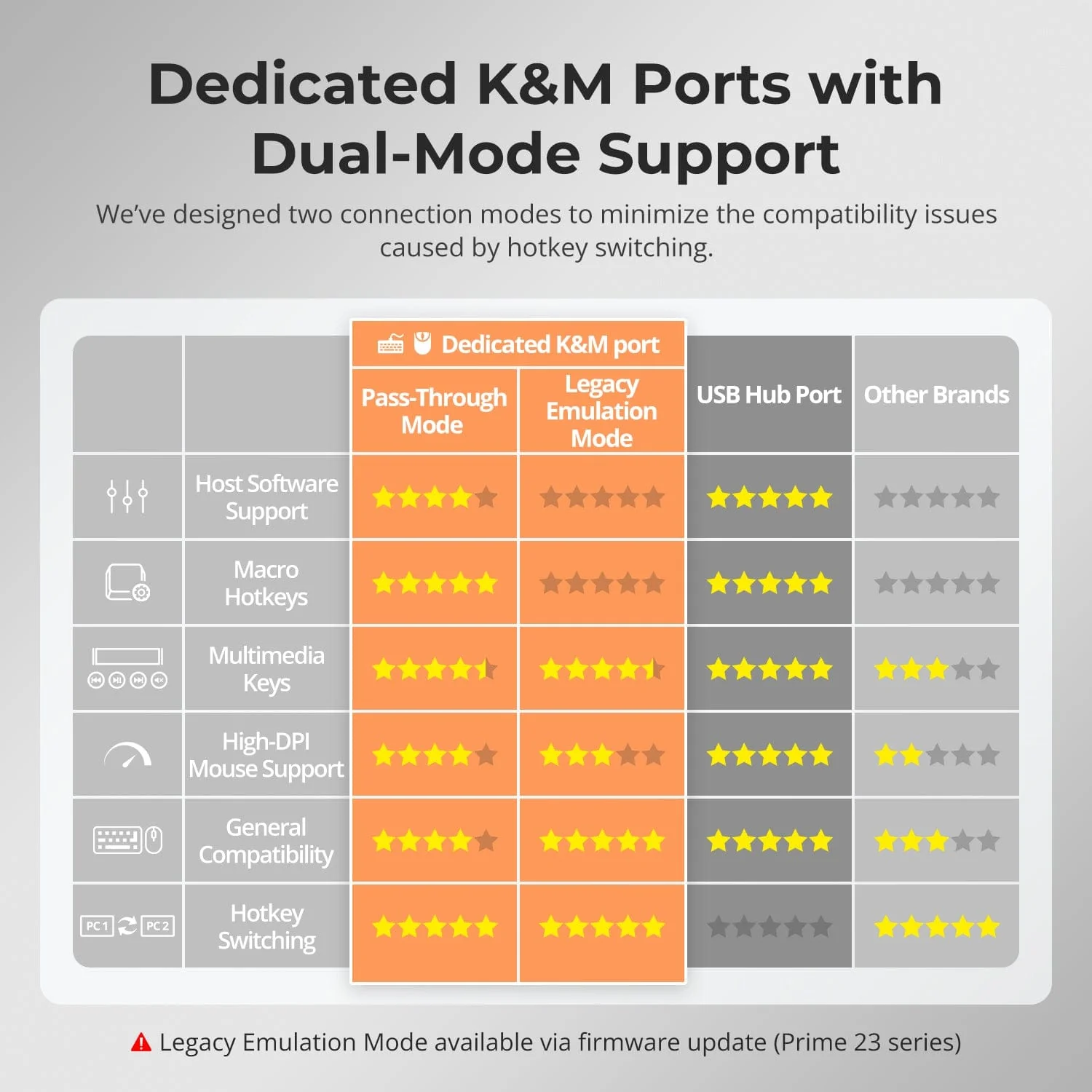
•Pass-through mode is compatible with many mechanical and gaming keyboards.
•Automatic scanning: Automatically switches displays between connected input devices when the KVM is powered on.
Product Information
Product Information
Shipping & Returns
Shipping & Returns
Description
TESmart With You. Evolving For You!
The HKS201-P23 supports controlling 2 computers and 1 monitor with a single keyboard and mouse. It supports HDMI 2.0 4K@60Hz, USB 3.0, and features industry-leading EDID emulation technology and automatic scanning. It's ideal for professionals seeking stability and lightweight high-definition visuals.
Why You’ll Love It:
•Supports up to 3840×2160@60Hz, compatible with 3440×1440@100Hz, 2560×1440@120Hz, 1920×1080@240Hz.
•EDID Emulation: Prevents window changes during switching.
•USB 3.0 and audio integration: High-speed data transfer to connect peripherals, headphones, and storage devices.
•Four input switching methods: Keyboard hotkeys, mouse wheel, front panel buttons, or infrared signal.
•Pass-through mode is compatible with many mechanical and gaming keyboards.
•Automatic scanning: Automatically switches displays between connected input devices when the KVM is powered on.